Having previously started a discussion on what Ruby is, how to install Ruby on Rails, an introduction to the Ruby language and an introduction to the Rails framework, now it’s time to start using the Rails framework by creating a simple application.
Simple task management app
This time we will try to create a simple task management application. This app works to record daily tasks, both school assignments and university assignments.
Before that, let’s think about the data needed to create this application. Since this application is related to recording daily tasks, the necessary data is:
- Task name
- Task Description
-
Task Category
This category is for storing course or subject names at school. - Deadline (Collection date)
After determining what data is needed, we can conclude that at least this application consists of a model, a controller and several views. Next, we create the project by running the following command in the terminal or command prompt.
mysqlite version
$ rails new homework_management
postgresql translated
$ rails new homework_management -d postgresql
cd homework_management
After creating a new Rails project, all you need to do is create the required controller, model, and views. To create some of these things, Rails provides a very useful feature to create them automatically and simply.
Scaffold, a magical feature in Rails
Scaffolding? What is scaffolding?. The scaffolding is fast lane provided by Rails for creating controllers, models, and associated views. With the scaffold controller, models and views can be created in a single operation.
$ rails generate scaffold Homework homework_name:text category:string deadline:date description:text
The above command means create a homework resource and the table has one column:
- duty_name form text
-
category form chain (record lessons or subjects)
- deadline form dateAnd
- description form text
What is the result of this command?
The conclusion produced from the scaffolding is as follows:
-
File migration
- Model
-
Itinerary
Scaffold will automatically save the URL that was created as a route resource - Controller
-
And in the view, namely the folder homework in application/views,
index.html.erb, edit.html.erb, show.html.erb,
new.html.erbAnd _form.html.erb of files
application/views/assignments
After that, try running the server by typing the following command in terminal or command prompt.

This display is an error display in the Rails framework. What happened ?. What happens is we forget to run the migration file created by the scaffold.
Remember that even though we use scaffolding, to migrate the database files you need to do it yourself by running the following command.
Or


The application is running, but how can I see the results of the scaffold created? Because we were creating homework scaffolding, try opening the URL
http://localhost:3000/homeworks/then what will appear in the browser is the following.

If the above screen appears, it means that a simple task management application has been created.
Only by using scaffolding can the most important interconnected parts be created. But what is the explanation? What if you did it manually? Here is the explanation.
Model
Whengenerate Homework Scaffolding will automatically create a template on app/models/homework.rb. This model can then be used to validate incoming data, etc.
To create a template manually, this can be done as follows:
$ rails generate model Homework
The command automatically creates a template with a name homework.rb Of
application/models with the table migration file.
Controller
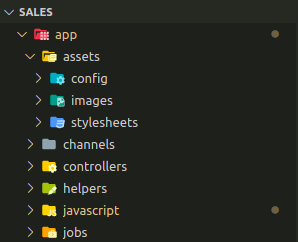
Whengenerate Homework Scaffolding will automatically create a controller on app/controllers/homeworks_controller.rb. Apart from that, when executing the scaffold, the controller will automatically create the following methods:
- hint: displays all data in the table
- to show: displays data based on settings
- new: displays the data addition page
- to modify: displays the data editing page
- create: the data storage process
- update: the process of modifying data
- destroy: the data deletion process
To create a controller manually, you can do so by:
$ rails generate controller Homework
The command automatically creates a controller with a name
homework_controller.rb Of application/controller. If you want to create a controller and create a view, you can do so:
$ rails generate controller Homework index
say “hint” in this command means create a view in app/views/homework/index.html.erb
Migration
From the beginning of the discussion, we often mentioned table migration files. What is migration or migration table in Ruby? Migration is a Ruby feature created to easily create or modify tables in a database. This migration is the one that will result from the construction of scaffolding.
To be able to create a migration file, run the following command.
$ rails generate migration CreateHomeworks
The created migration file will be saved in the db/migrate folder
To be able to migrate, run the following command.
Or
Itinerary
Routes in Rails are like a bridge that works to receive requests from the browser and forward them to the controller orgenerate URL as well as the action when the URL is accessed.
Rails application routes are located in config/routes.rb. When using a scaffold, the scaffold will automatically save the created resources in routes.rb.

resource: homework This means linking all the homework controller methods into one part, and the URL formed from this resource will match the method name.
Example on resources: homework there are methods newthen the resulting URL becomes /homework/new
Then, from the scaffolding results, what URL is produced? To find out which routes are recorded, you can do so by:

| HTTP verb | Path | Controller#Action | Function |
|---|---|---|---|
| GET | /homework | homework#index | displays all tasks |
| GET | /homework/new | homework#new | displays the page for adding daily task data |
| JOB | /homework | homework#create |
contains the process of adding data |
| GET | /homework/:id | homework#show | displays more specific task data |
| GET | /homework/:id/edit | homework#edit | displays a page containing a form to modify task data |
| CORRECT/PUT | /homework/:id | homework#update | contains the process of modifying task data |
| DELETE | /homework/:id | homework#destroy | contains data deletion process |
Edit root action
To change root action to a certain method, for example root action will be changed to method hint on the controller
homework_controller.rb, This can be done by adding the following script to routes.rb
root "homeworks#index"
Happy coding!!
PakarPBN
A Private Blog Network (PBN) is a collection of websites that are controlled by a single individual or organization and used primarily to build backlinks to a “money site” in order to influence its ranking in search engines such as Google. The core idea behind a PBN is based on the importance of backlinks in Google’s ranking algorithm. Since Google views backlinks as signals of authority and trust, some website owners attempt to artificially create these signals through a controlled network of sites.
In a typical PBN setup, the owner acquires expired or aged domains that already have existing authority, backlinks, and history. These domains are rebuilt with new content and hosted separately, often using different IP addresses, hosting providers, themes, and ownership details to make them appear unrelated. Within the content published on these sites, links are strategically placed that point to the main website the owner wants to rank higher. By doing this, the owner attempts to pass link equity (also known as “link juice”) from the PBN sites to the target website.
The purpose of a PBN is to give the impression that the target website is naturally earning links from multiple independent sources. If done effectively, this can temporarily improve keyword rankings, increase organic visibility, and drive more traffic from search results.